• Te fare
  • Hotu
    • Te faanahoraa no te faarava'iraa ia'na iho
    • Te matini hi'opo'araa ia'na iho
    • Te matini no te aufauraa ia'na iho
    • Te mau tareta no te taata iho
    • ATM
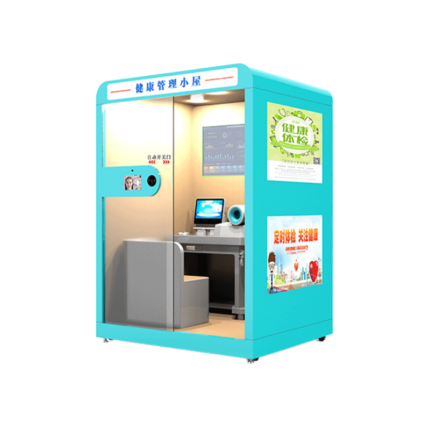
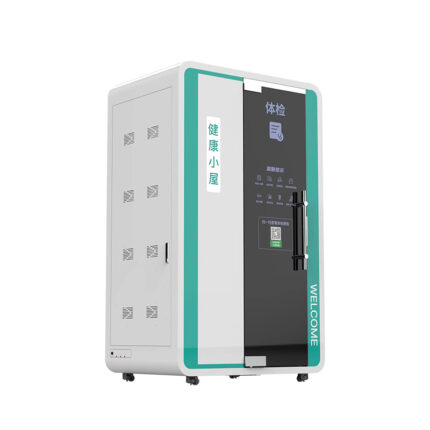
    • Te matini hi'opoaraa i te oraora - maitai -
  • No ni'a ia tatou
  • TE MAU NOTA
  • A farerei mai ia matou
  • Reo Mā`ohi'
    • English
    • العربية
    • 中文(简体)
    • Français
    • Deutsch
    • Português
    • Русский
    • Reo Mā`ohi'
Ma'imi
Tabula ohipa
0 Te mau nota $0.00
A pata no te faarahi
Te fare Te faanahoraa no te faarava'iraa ia'na iho Te faanahoraa no te faaoraraa ia'na iho, a amu i te maa au maitai ma te tia'i ore
Te mau raau rapaau ma'i e te mau raau rapaau ma'i
Te ho'iraa i te mau tao'a
Te mau raau rapaau ma'i e te mau raau rapaau ma'i: Te mau tauiraa i te pae no te oraora - maitai - raa o te tino

Te faanahoraa no te faaoraraa ia'na iho, a amu i te maa au maitai ma te tia'i ore

Product Details
Vahi no te haamataraa: Shenzhen, Taina
Packaging:PE bag+PE foam+wooden box
Te hi'opoaraa i te mau ravea apî i te pae tapihaa:Onboard Intel I5, 510.PH&PF 108:13., VGA, HDMI, TE MAU NOTA

  • Imere:zhangbao@sz-xtd.com
  • Imere:zhangbao@sz-xtd.com
TUHAA HAAPIIRAA 3 API 28 - 2!
Category: Te faanahoraa no te faarava'iraa ia'na iho
Faaite:
  • Faataaraa
Faataaraa

Faataaraa no te mau hoho'a

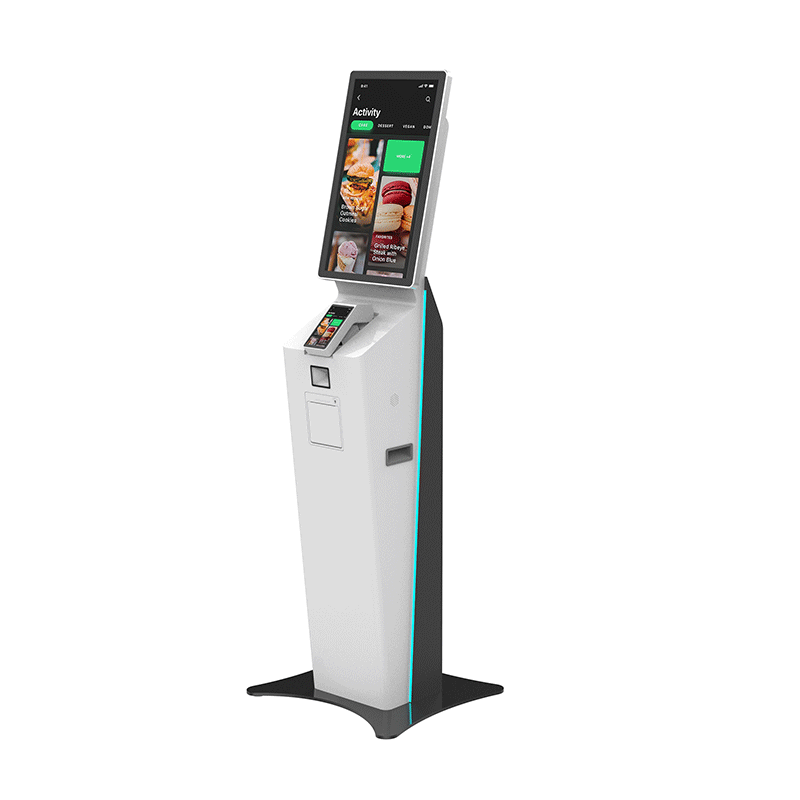
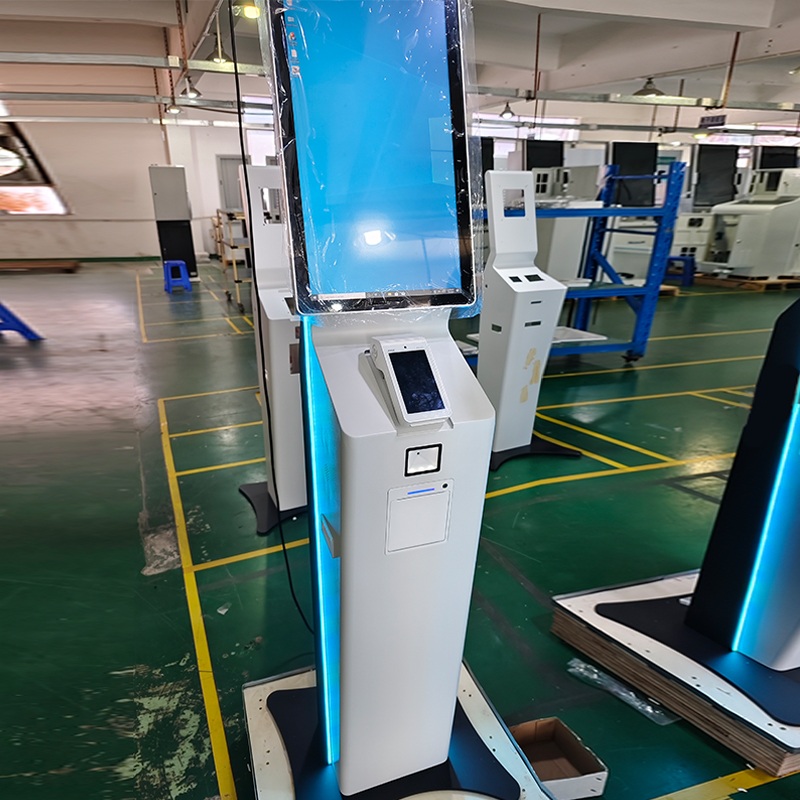
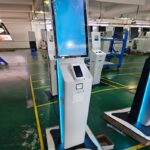
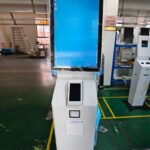
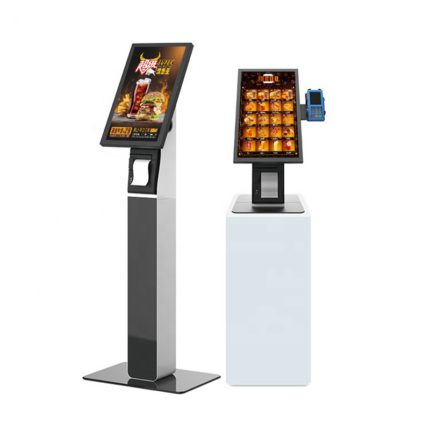
Customers can place personalized orders according to their own tastes and needs. Self-service ordering machines can provide detailed information about dishes, including ingredients, taste characteristics, nutritional components, e te vai atu ra., helping customers make wiser choices. Taa ê noa'tu i te reira, customers can also add special requirements such as less salt, no spicy, e te vai atu ra., to meet the special needs of different customers.

Faataaraa no te faanahoraa no te faarava'iraa ia'na iho

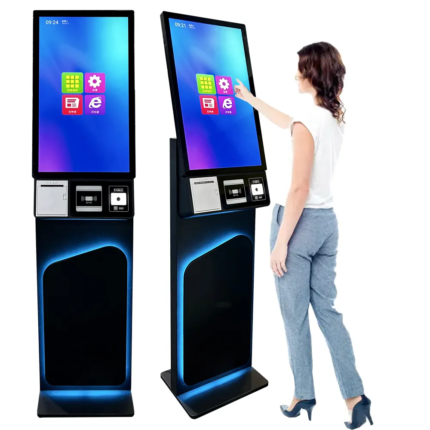
Te faanahoraa no te faaoraraa ia'na iho21.5-INCH LCD module, 16:9 (width:height)Network supportsupport dual Gigabit network card, DC12V
Faaotiraa1920*1080, display brightness 250cd/m²;Barcode ScannerCan read 1D and 2D codes
Te haamana'oraa8GPower supplyMingwei LRS-150-12
Hard diskSolid state drive 128GinputAC 100~240V/50~60Hz
FaanahoraaFaanahoraa Windowsrated power150W

Cashless Ordering Machines

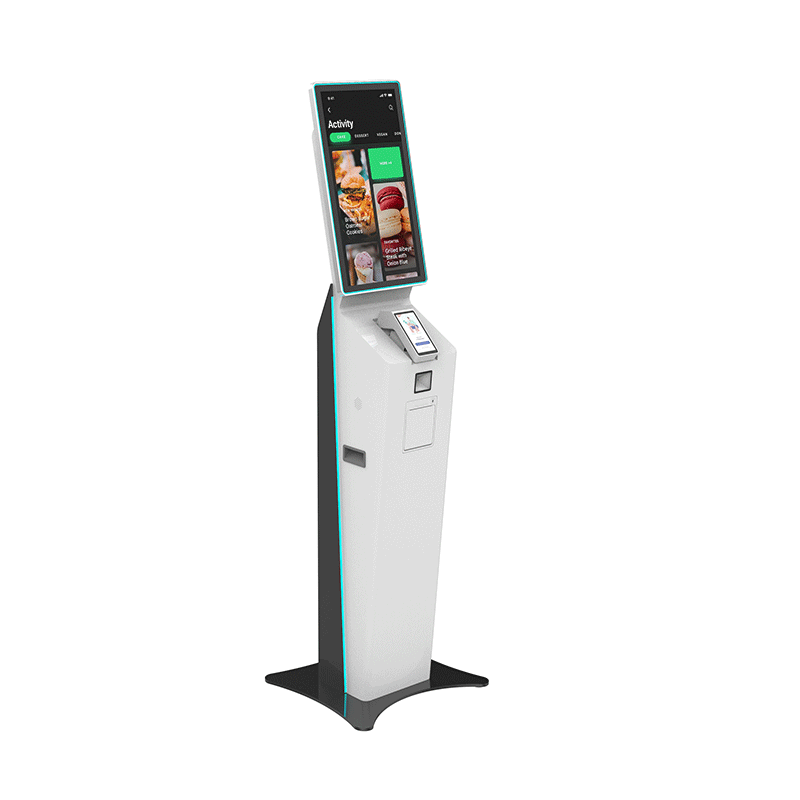
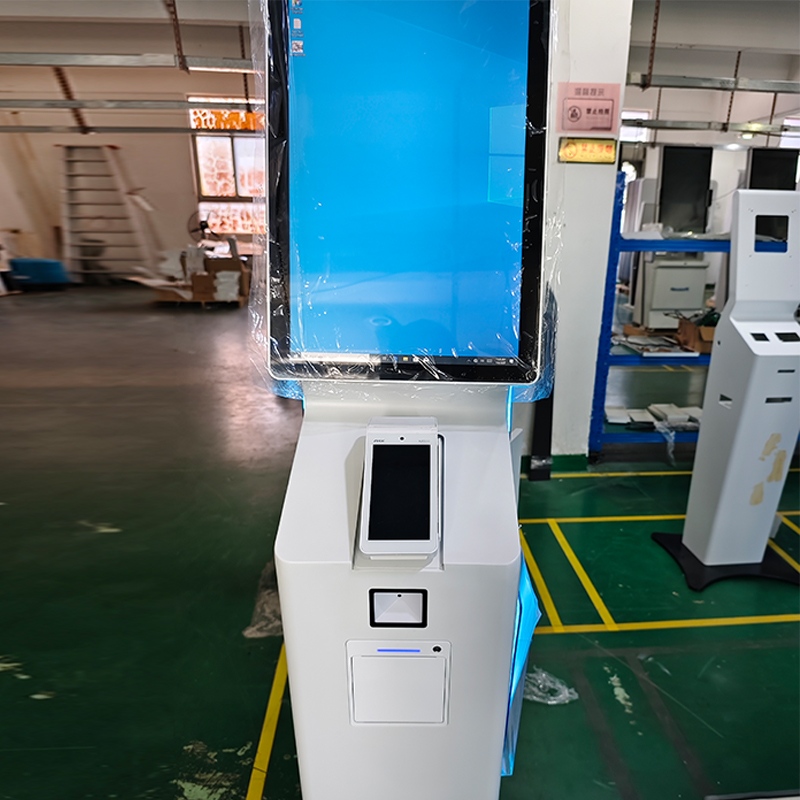
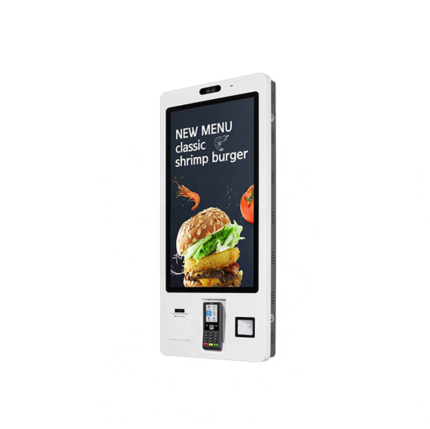
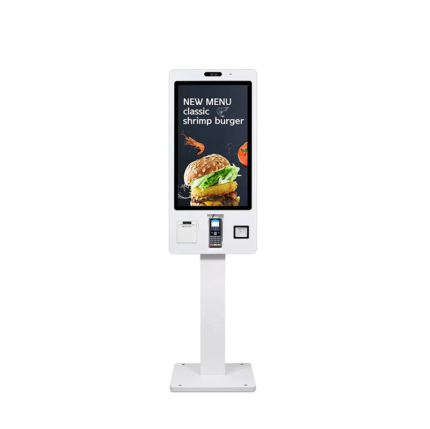
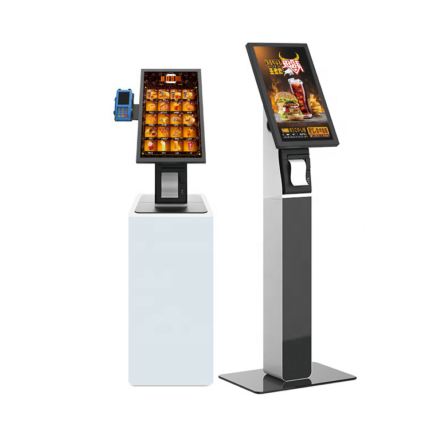
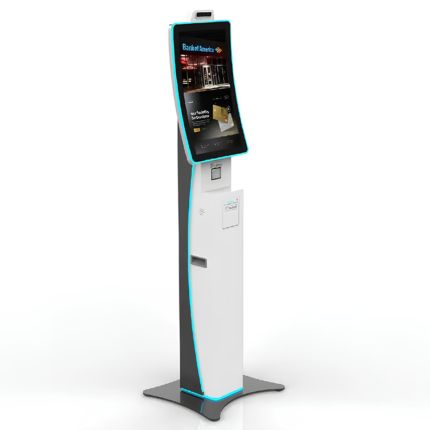
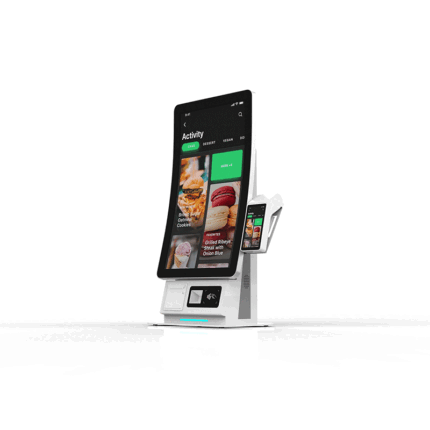
21.5 inch restaurant self-service ordering machine

Faaotiraa: 1920*1080, display brightness 250cd/m²
Touch points: 10 points, light transmittance >85%
Interface: USB

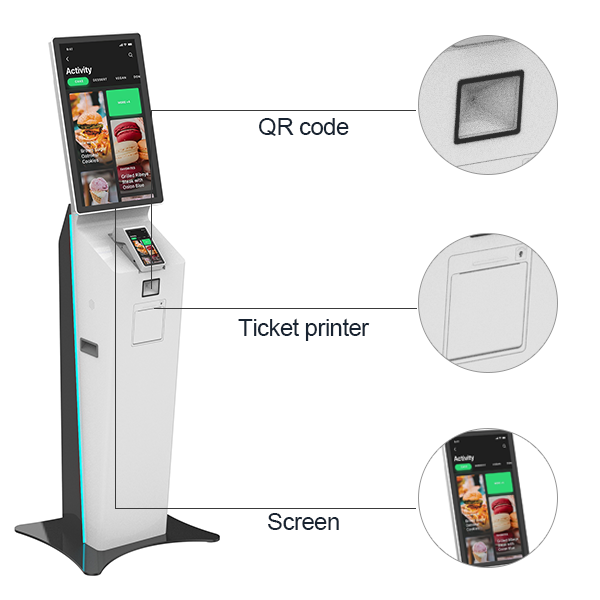
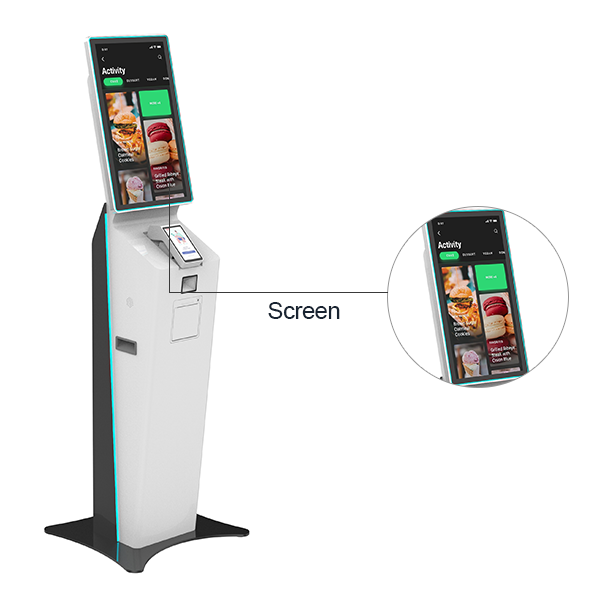
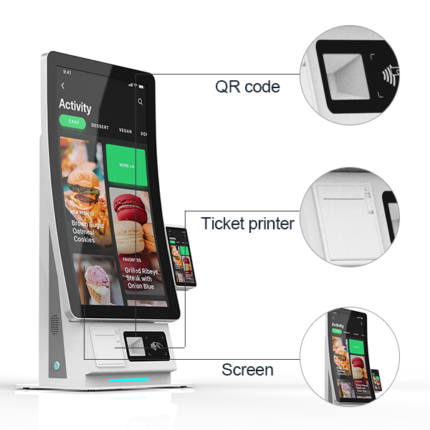
  • 21.5-inch touch display
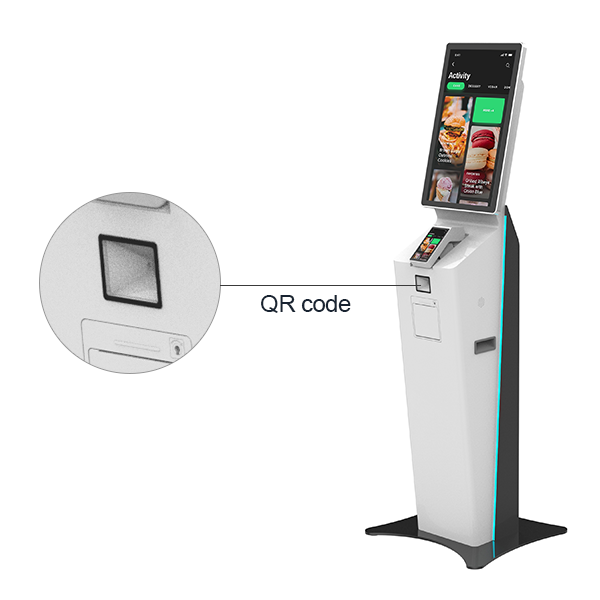
  • QR code payment
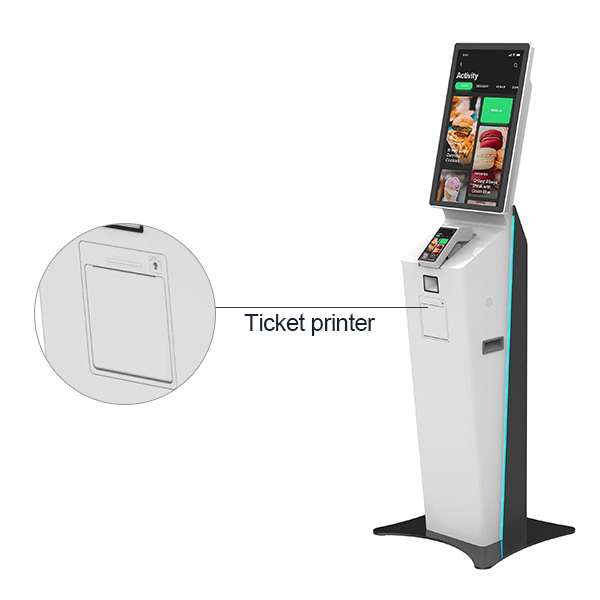
  • Receipt printing
  • Camera

Advantages of direct screen vision, QR code convenience and ticket printing

The touch operation of the straight screen is relatively more sensitive and accurate. Customers can easily complete the ordering process on the screen and reduce operational errors.

The QR code ordering system can reduce errors such as missed orders and wrong orders during manual ordering, and improve the accuracy of ordering.

Printing receipts is an important voucher for restaurant orders. Restaurant staff can accurately record and track each order, including ordering time, dishes and other information, which is convenient for order management and inquiry.

Advantages of ordering machine receipt printing

Panel type 80 Nene'iraa ve'a papa'i, printing paper width 80mm, printing speed 32 sheets/

Data analysis: The ordering machine can record users’ ordering behavior and preferences, provide data analysis for restaurants, and help restaurants optimize dishes and services.

Advantages of direct screen ordering machine

21.5-inch touch, 16:9 (width:height)

Precise touch: The touch response of the straight screen is more accurate and responds to your operation instructions quickly. Whether it is clicking on dishes, selecting quantities or making payments, operations can be smoother and more efficient.

High stability: Straight-screen ordering machines usually have better stability, which can ensure that the screen remains stable during use, making it easier for customers to operate.

Advantages of QR code ordering

Barcode Scanner:Can read 1D and 2D codes

Customers do not need to wait for the waiter. They can scan the QR code to enter the ordering interface anytime and anywhere. Detailed dish information can be presented through the QR code, including dish pictures, names, prices, e te vai atu ra., making it easier for customers to fully understand the dishes, and ordering efficiency is significantly improved.

COMPANY FACTORY ODM/OEM

matini hi'opo'araa ia'na iho

PARAU FAAHANAHANARAA NA TE FEIA APÎ

TUHAA PURERAA NO TE A'ORAA

Q1:E fare hamaniraa tauihaa anei outou aore ra e taiete tapihooraa?

E taata aravihi matou no te ODM/OEM e vai ra i Shenzhen i te fenua Taina fatata 10 te mau matahiti.

Q2:Te hoohoo nei au i ta oe taiete i te taime matamua, nahea e ti'a ai ia'u ia ti'aturi ia oe?

Te vai ra ta outou mau uiraa no ni'a i to tatou rave-amui-raa i te ohipa, ua taa maitai ia tatou. E farii - popou - hia outou ia haere mai e mataitai i ta matou fare neneiraa i te mau taime atoa.

Q3:Nafea tatou e nehenehe ai e haapapu i te huru maitai?

A hamani i te hoê hoho'a na mua a'e i te hamaniraa,hi'opo'a-maite-raa i te mau mea atoa hou a haponohia'tu ai ei ture arata'i i te mau.

Q4: Eaha te mau tao'a ta outou e nehenehe e hamani?

Te aufauraa i te tuhaa ahuru,Faarava'iraa ia'na iho,ATM,Cash Kiosk, Multi-function Kiosk, Digital signage,Faito anuvera o te tino,Parking Kiosk,Te mau kiosk o te fare vairaa buka e te vai atu â.

Q5: Eaha te mau tauturu ta tatou e nehenehe e pûpû atu?

Te mau parau fariihia: FOB,CFR,CIF,EXW,DDP,DDU,Faaite i te mana'o. Te aufauraa i te tuhaa ahuru i fariihia: TE MAU NOTA;EURO, HKD, RMB. Te huru aufauraa i fariihia:T/T,L/C,Te tareta moni e te moni

Q6: Eaha te maororaa o te taime tano no ta outou mau tao'a?

I te rahiraa o te taime, hoê matahiti i muri a'e i te haponoraa; i muri a'e i te tau tama'i, e nehenehe ta tatou e horo'a i te mau ohipa aufau-ore-hia.

Q7: Eaha to outou taime no te hi'opo'araa e no te faanahoraa?

No ta tatou mau tao'a tumu,te taime arata'iraa o te 7-15 Te mau mana'o tauturu no te haapiiraa,te taime arata'iraa o te 25-35 Te mau mahana no te ODM/OEM,te tere noa ra te hora 30 Te mau nota

Te mau tao'a tu'ati

matini no te taviniraa ia'na iho

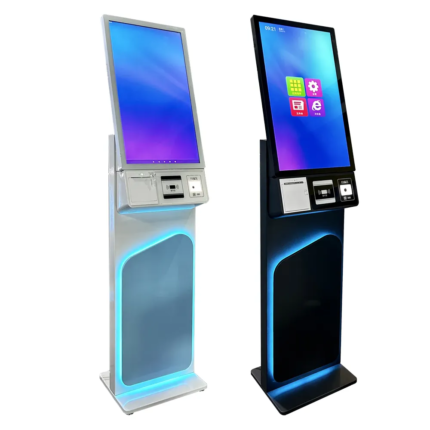
Vertical self-service ordering machine, e te tahoêraa i te mau fenua e rave rahi, e faaohie i te nahonaho e te haape'ape'a ore

Te faanahoraa no te faarava'iraa ia'na iho
TUHAA HAAPIIRAA 3 API 28 - 2!
Product Details Place of Origin: Shenzhen, China Packaging:PE bag+PE foam+wooden box Industrial control motherboard:CPU: RK3568, Te mau mana'o tauturu no te haapiiraa, Te mau mana'o tauturu no te haapiiraa 2.0 GHz

Interactive 22 Android Wifi Restaurant Checkout Food Touchscreen Outdoor Self Service Ordering Stand Machine Payment Kiosk

Te faanahoraa no te faarava'iraa ia'na iho
TUHAA HAAPIIRAA 3 API 28 - 2!
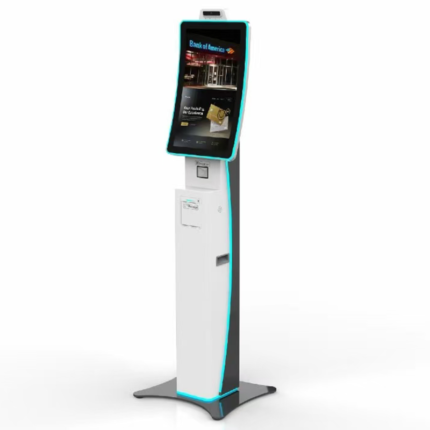
The Interactive 22 Android WiFi Restaurant Checkout Kiosk is a compact and durable self-service ordering and payment terminal designed for restaurants, cafés, and food service venues.
Equipped with a 22-inch capacitive touch display, high-performance Android system, and built-in WiFi connectivity, this food ordering kiosk offers smooth and efficient customer interaction.
Te mau mana'o tauturu no te haapa'oraa ia'na iho

Solar-Powered Parking Lot Machine with Contactless Transactions, Te mau haamaramaramaraa no ni'a i te mau rave'a, e te nene'iraa i te mau titeti

Te faanahoraa no te faarava'iraa ia'na iho
TUHAA HAAPIIRAA 3 API 28 - 2!
A tu'u i ni'a i te api parau i muri nei. E nehenehe e faaohipa i te mau ohipa atoa, a farerei mai na ia matou no te tahi atu mau haamaramaramaraa.

32/21.5 Inch LCD Self Order POS System Kiosk Restaurant Food Menu Ordering Payment Terminal for Shop All in One Touch Screen

Te faanahoraa no te faarava'iraa ia'na iho
TUHAA HAAPIIRAA 3 API 28 - 2!
The 32/21.5 Inch LCD Self-Order POS System Kiosk is a powerful all-in-one self-service solution designed for restaurants, cafés, fast-food outlets, e te mau fare toa.
Equipped with a Full HD vertical touch screen, durable metal construction, and multiple operating system options (Windows or Android), this ordering terminal provides customers with an intuitive, fast, and contactless self-ordering and payment experience.

Te mau rave'a apî no te mau rave'a apî

Te faanahoraa no te faarava'iraa ia'na iho, Te matini no te aufauraa ia'na iho
TUHAA HAAPIIRAA 3 API 28 - 2!
Cash in/out :Te vai ra (Ua ma'itihia) Te faaapîraa i te mau tauihaa : Te vai ra (Ua ma'itihia) QR Code scanner : Te vai ra (Ua ma'itihia) Hoho'a pia : Customized Rceipt printer : Te vai ra (Te mau mana'o tauturu no te haapiiraa) Te feia e farii nei, a faaite mai......

Self-service Ordering Machine POS Machine pos systems windows 21.5-inch Touch Scan Code Printer with Printing Receipt Function

Te faanahoraa no te faarava'iraa ia'na iho, Te matini no te aufauraa ia'na iho
TUHAA HAAPIIRAA 3 API 28 - 2!

🌟 Overview

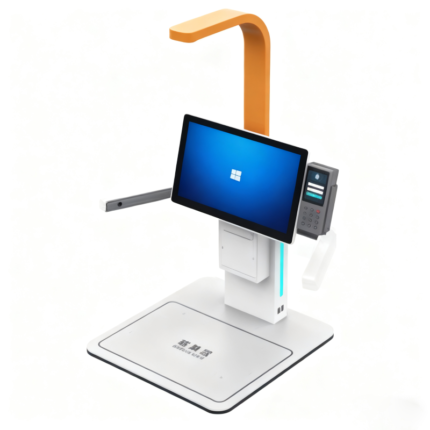
The 21.5-Inch Windows Self-Service Ordering and Payment Kiosk is an intelligent all-in-one terminal built for restaurants, hotels, and modern retail environments.
Powered by an Intel i5 industrial motherboard, this ordering kiosk combines high performance, reliability, and an intuitive interface to deliver efficient self-ordering and digital payment experiences.
With integrated POS system compatibility, barcode scanner, and thermal receipt printer, it provides a complete solution for smart checkout and customer engagement.

Smart Desktop Cash Change Terminal

Te faanahoraa no te faarava'iraa ia'na iho
TUHAA HAAPIIRAA 3 API 28 - 2!
Te haaputuraa e te tauiraa 1. Te hoê noa parau tuite, 2. Te mau rave'a aravihi o teie tau: Te mau mana'o tauturu no te haapiiraa, Te mau mana'o pato'ito'i, 3. Te vitiviti o te haapueraa moni: 2S/sheet, 4. Te faanahoraa i te mau faatitiaifaroraa no te tomoraa i roto i te mau moni, 5. Te mau parau tu'ite no te fare moni, 6. Te mau afata moni no te parururaa e nehenehe e tapirihia no te 1,000 Te mau nota, 7. Te mau mana'o tauturu no te haapiiraa: standard/metal/rainbow panel, 8. 80 Ua taui te nene'iraa o te faaroo i te module, 9. Taui i te vitiviti: 2S/piece i muri a'e i te haamataraa;

Poro'iraa i te mau parau aufauraa i te mau matini roro uira no te hoo mai i te mau maa

Te faanahoraa no te faarava'iraa ia'na iho
TUHAA HAAPIIRAA 3 API 28 - 2!
Te aravihi rahi atu â:E faaoioi mau â te reira i te faanahoraa o te poroi e te hi'opoaraa. E nehenehe te feia hoo e horoa i te mau faaueraa e e faaafaro i te mau aufauraa ma te ore e tiai i te mau haamâu'araa, faaitiraa i te mau taime tiairaa e te aravihi rahi i te pae no te tâpûraa. Te mau haamau'araa:E nehenehe te reira e faaiti mai i te mau haamâu'araa no te ohipa ia mono ana'e oia i te tahi mau ohipa e ravehia ra e te mau tuati. E tauturu te reira i te mau fare tamaaraa ia haamaitai atu â i ta ratou mau haamâu'araa.

Manava i te haapii no nia i ta tatou mau tao'a

A pee mai ia matou

O tatou te taata hamani matamua i te fenua Taina, e nehenehe ta tatou e horo'a i te taviniraa OEM/ODM, e a horo'a mai ia outou i te mau tao'a maitai roa.

  • TE MAU TUMU PARAU HAAPIIRAA
    • Te fare
    • Hotu
    • No ni'a i te
    • Te mau parau apî
    • Hi'oraa
    • Farereiraa
  • NO NI'A IA TATOU
    • No ni'a ia tatou
    • Ta tatou mau vahi maitai
    • Te huru o te taiete
    • Te mau parau faaite
  • TE MAU PAPA'IRAA MO'A
    • Te faanahoraa no te faarava'iraa ia'na iho
    • Te matini hi'opo'araa ia'na iho
    • Te matini no te aufauraa ia'na iho
    • Te mau tareta no te taata iho
    • ATM
    • Te matini hi'opoaraa i te oraora - maitai -
  • TE MAU NOTA
    • Te mau parau apî o te taiete
  • A PARAPARAU MAI IA MATOU
    • Niuniu:+86 133 8712 5306
    • Niuniu:+86 187 6887 4385
    • Imere:warner@sz-xtd.com
    • Imere:yunying@sz-xtd.com
    • Vahi nohoraa:Paturaa 20, Aita. 172 Xiangshan Street, Te oire no Luotian, Yanluo Street, Shenzhen, Guangdong, Taina
Niuhia i ni'a i te WoodMart parau tumu 2024 Te mau tumu parau faufaa roa ' ' e.
  • Tabula ohipa
  • Te mau tuhaa
  • Te faanahoraa no te faarava'iraa ia'na iho
  • Te fare
  • TE MAU PARAU APÎ O TE EKALESIA
  • TE MAU NOTA
  • Portfolio
  • No ni'a ia tatou
  • A farerei mai ia matou
  • Login / Tapa'oraa
Te hoo - haere - raa i te pereoo
Opani
A haamata i te patapata no te hi'o i te mau tao'a ta outou e imi ra.

Te tuatapaparaa i te huru o te tao'a

Te mau hoho'a
0 Te mau nota Cart
Ta'u aamu
  • ↓
  • A farerei mai ia matou

    Parau farereiraa

  • Niuniu
  • WhatsApp
  • Rata uira