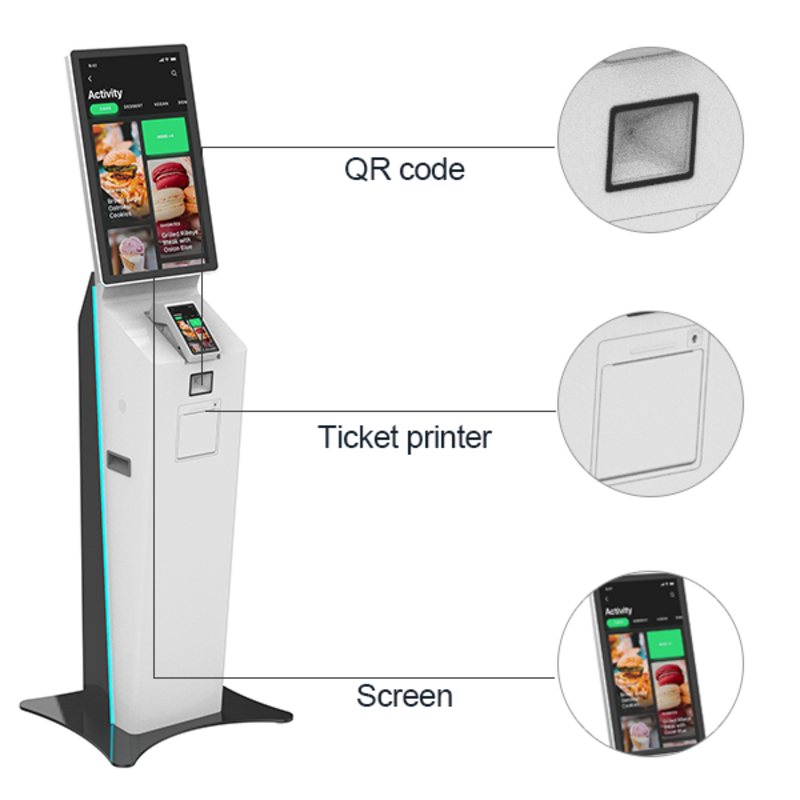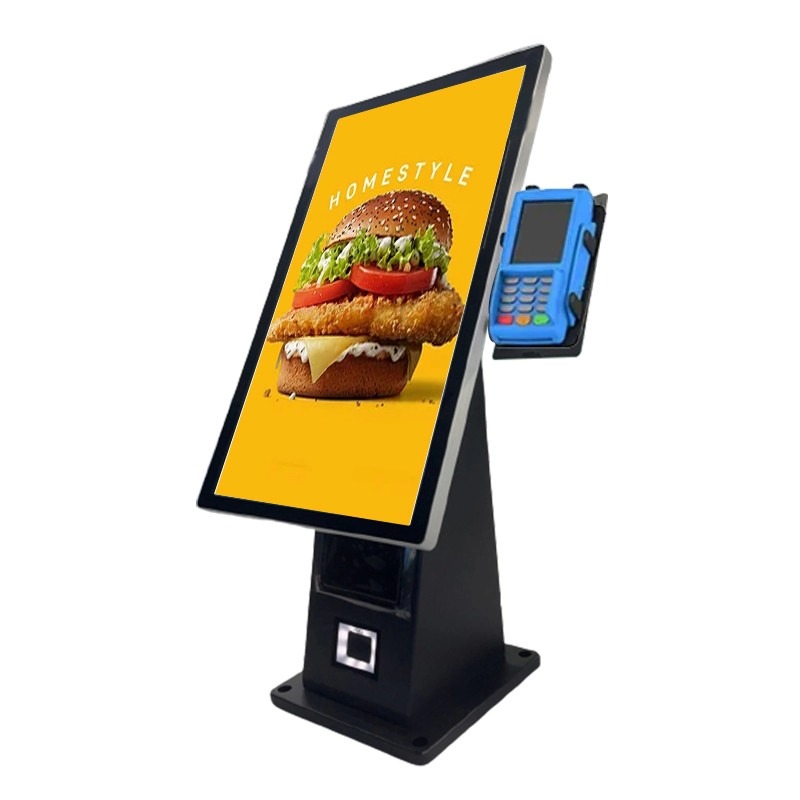
عندما يواجه العملاء طوابير طويلة, معالجة الطلب بطيئة, أو عدد محدود من الموظفين في ساعات الذروة, أ كشك طلب سطح المكتب يمكن أن يوفر لك طريقة عملية لنقل مهام الطلب الروتينية إلى الخدمة الذاتية. بدلاً من تركيب محطة كبيرة قائمة على الأرض, يمكنك وضع وحدة كونترتوب مدمجة حيث يمكن للعملاء تصفح القوائم, حدد المنتجات, رموز المسح, وإكمال عملية الطلب.
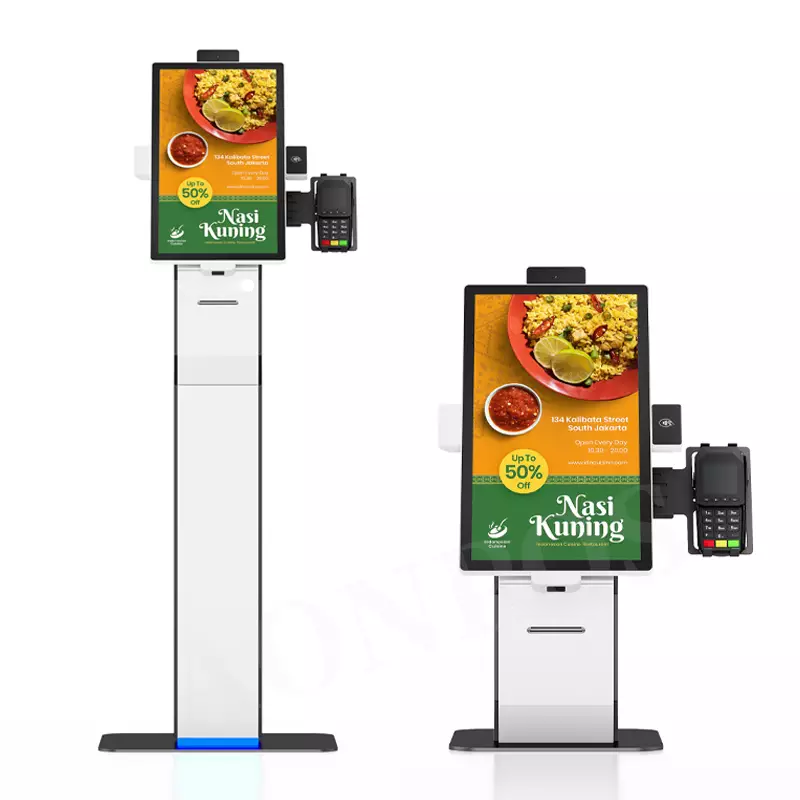
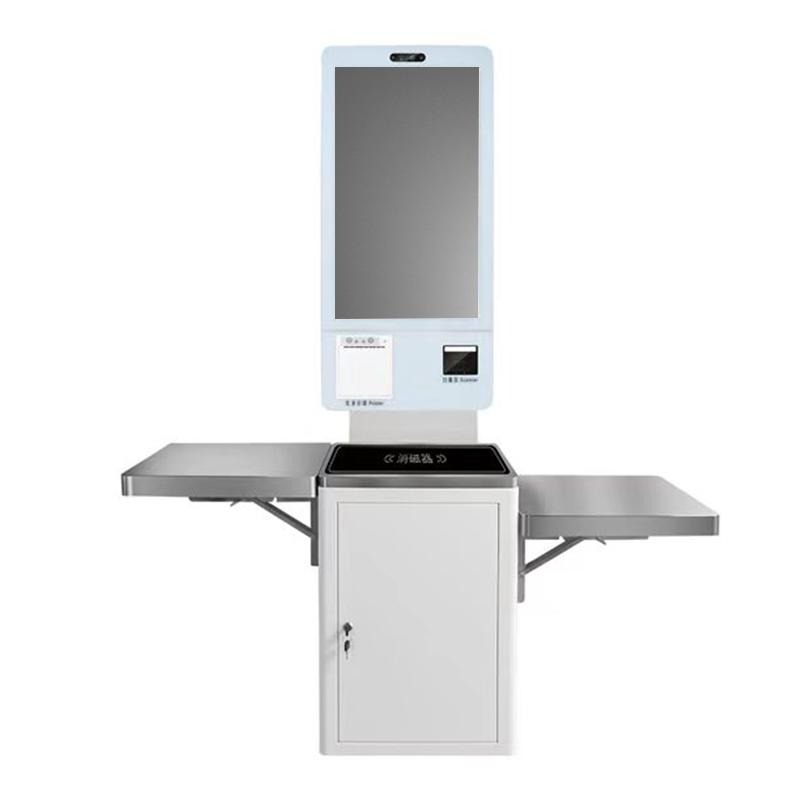
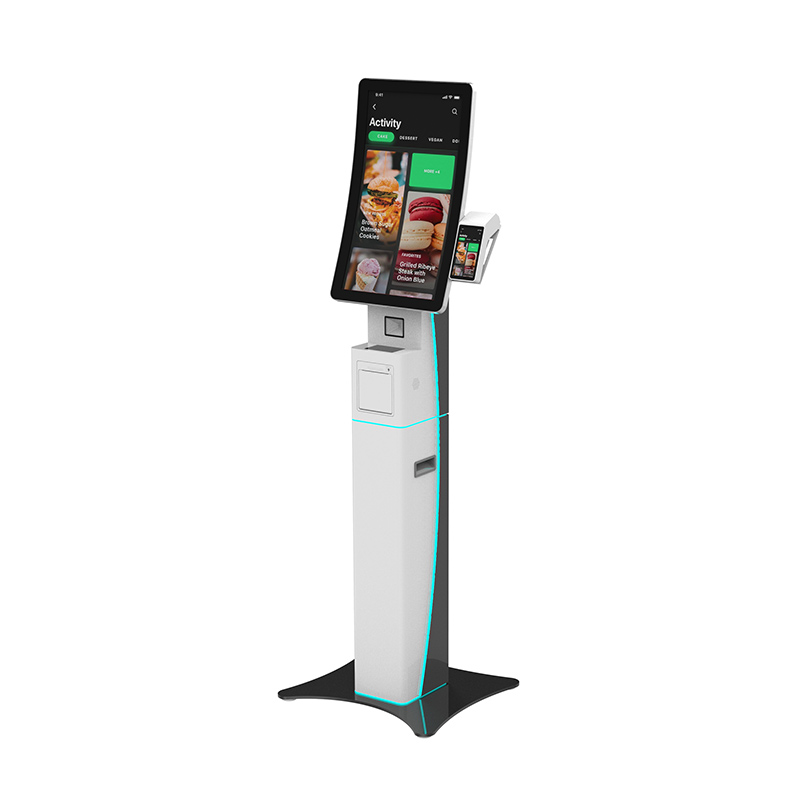
يجمع كشك الطلب الذاتي للخدمة الذاتية مقاس 21.5 بوصة XTD بين شاشة تعمل باللمس بدقة Full HD, الماسح الضوئي QR, طابعة حرارية, قارئ NFC اختياري, وحامل نقاط البيع المثبت على الجانب في وحدة واحدة. شركة شنتشن Xingtongda لتكنولوجيا المعلومات., المحدودة. (XTD) تقوم بتصميم وتصنيع محطات الخدمة الذاتية وتوفر خدمات OEM/ODM للعملاء الذين يحتاجون إلى معدات ذكية مخصصة.
لماذا تختار كشك الطلب على سطح المكتب?
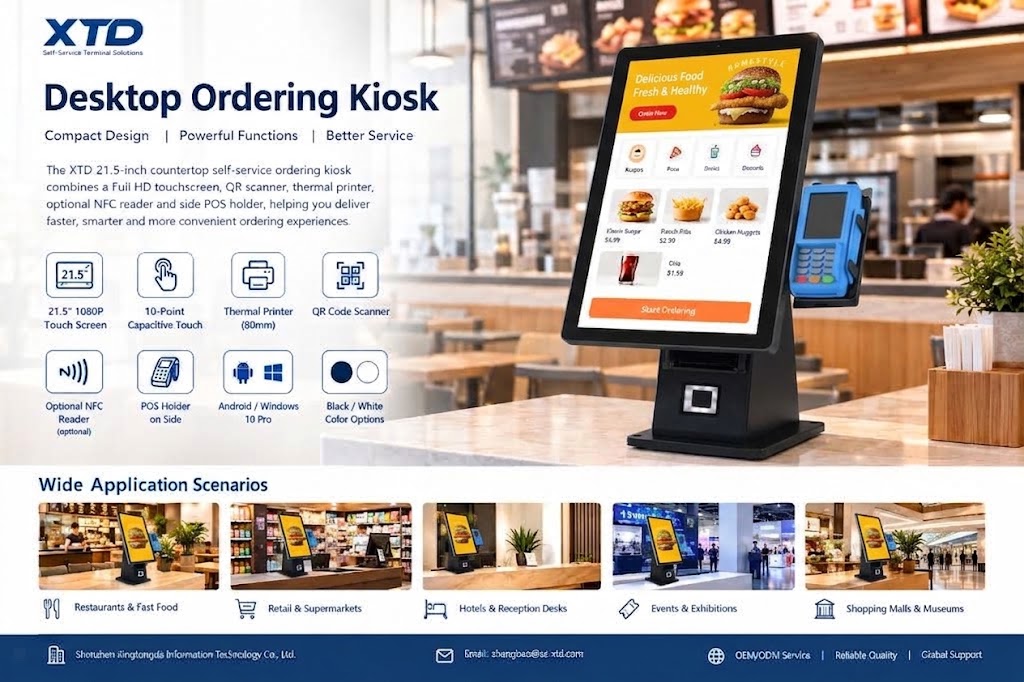
يعمل تنسيق سطح العمل بشكل جيد عندما تحتاج إلى وظيفة الخدمة الذاتية ولكن لديك مساحة أرضية محدودة. يستخدم طراز XTD مقاس 21.5 بوصة 1920 × 1080 عرض مع أ 16:9 نسبة الارتفاع, منح العملاء مساحة شاشة كافية للتنقل بين القوائم وواجهات الخدمة.
تدعم شاشة اللمس السعوية ذات 10 نقاط أيضًا التفاعل متعدد اللمس, بينما يوفر الإطار المعدني والزجاج المقسى 3 مم هيكلًا عمليًا للبيئات التجارية.
وتشمل الميزات الرئيسية:
- 21.5-شاشة كاملة الوضوح بوصة مع 1920 × 1080 دقة
- 10-نقطة اللمس بالسعة للطلب التفاعلي
- 80طابعة حرارية مم مع استبدال الورق الأمامي
- المدمج في QR وماسح الباركود
- خياري 13.56 قارئ NFC ميغاهيرتز
- حامل جانبي لنقاط البيع لمعدات نقاط البيع التابعة لجهات خارجية والمثبتة محليًا
- أندرويد أو ويندوز 10 خيارات نظام التشغيل الاحترافية
- أسود, أبيض, أو خيارات الألوان المخصصة
- تيار متردد 110-240 فولت, 50/60مدخلات الطاقة هرتز
- 70استهلاك الطاقة المقنن W
يتيح لك هذا التكوين الجمع بين الطلب, طباعة الإيصالات, مسح QR, والأجهزة المتعلقة بالدفع دون شغل المساحة التي يتطلبها كشك أكبر.
كشك الطلب الذاتي على سطح العمل لسيناريوهات الأعمال المختلفة
يمكن لكشك الطلب الموجود على سطح العمل المزود بطابعة حرارية أن يدعم العديد من التطبيقات التي تواجه العملاء. يمكنك تكوين مجموعة البرامج والأجهزة الطرفية وفقًا لسير العمل الخاص بك بدلاً من التعامل مع الأجهزة كجهاز وحيد الغرض.
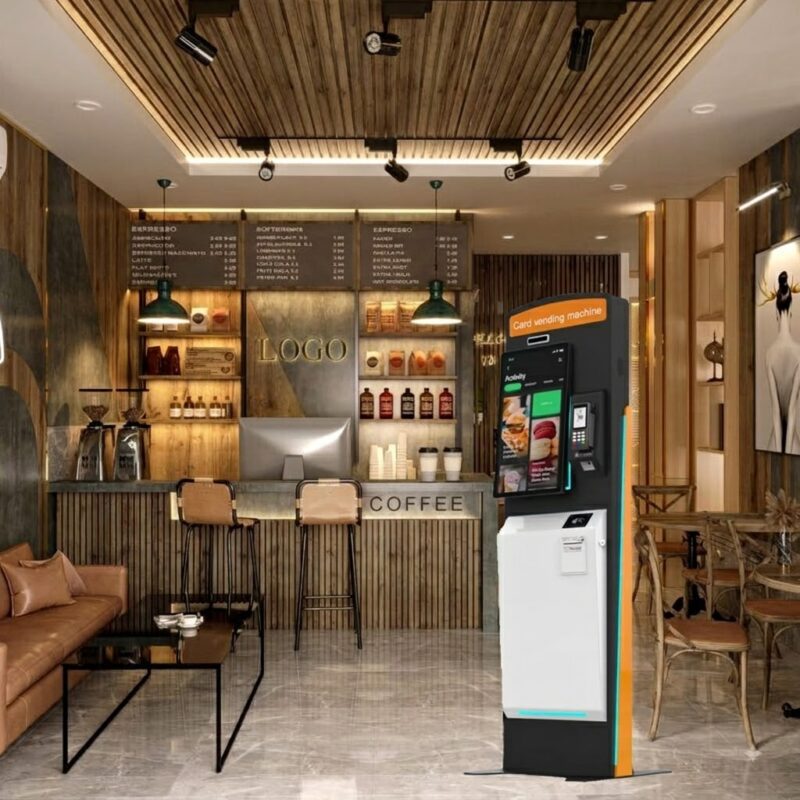
المطاعم والوجبات السريعة
للمطاعم وبيئات مطاعم الخدمة السريعة, يمكن للعملاء استخدام شاشة اللمس لتحديد الوجبات وتقديم الطلبات. يمكن للطابعة المدمجة إنتاج الإيصالات أو طلب التذاكر, بينما يدعم الماسح الضوئي QR وقارئ NFC الاختياري التفاعل الإضافي وسير عمل الدفع.
البيع بالتجزئة ومحلات السوبر ماركت
يمكنك أيضًا استخدام الكشك لاختيار المنتج, المساعدة في الخروج بالخدمة الذاتية, الترقيات, أو معلومات العملاء. تصميم سطح العمل يجعلها مناسبة لعدادات الخروج, مكاتب الخدمة, وغيرها من المناطق التي تكون فيها المساحة الأرضية محدودة.
الفنادق, الأحداث, والخدمات العامة
يمكن لنفس النظام الأساسي للأجهزة دعم طلبات الخدمة, تسجيل الزوار, التذاكر, أو يعرض المعلومات التفاعلية. تذكر XTD أنه تم استخدام محطات الخدمة الذاتية الخاصة بها في جميع أنحاء الحكومة, التأمين المالي, الرعاية الصحية, سينما, مواصلات, الاتصالات السلكية واللاسلكية, والصناعات المرتبطة بالكهرباء.
كشك طلب سطح المكتب مقابل. كشك قائم على الأرض
يعتمد الاختيار بين سطح العمل والحل القائم على الأرضية بشكل أساسي على المساحة المتوفرة لديك, تدفق العملاء, ومتطلبات التثبيت.
| ميزة | كشك طلب سطح المكتب | كشك الطلب القائم على الأرض |
|---|---|---|
| تثبيت | كونترتوب أو مكتب الخدمة | تركيب الكلمة |
| متطلبات المساحة | أدنى | أعلى |
| حجم الشاشة | 21.5-بوصة في هذا النموذج | عادة أكبر |
| التنقل | أسهل للانتقال | أقل ملاءمة للتحرك |
| تكامل نقاط البيع | حامل نقاط البيع الجانبية | يمكن استخدام وحدات متكاملة |
| الأنسب ل | عدادات, المطاعم, مكاتب البيع بالتجزئة | مناطق الخدمة الذاتية ذات الحركة المرورية العالية |
| التخصيص | نظام التشغيل, لون, خيارات NFC وPOS | مزيد من التخصيص الهيكلي |
إذا كان لديك بالفعل عداد مناسب, يمكن أن يقلل تنسيق سطح العمل من تعقيد التثبيت مع الحفاظ على وظائف الخدمة الذاتية الأساسية.
كيفية نشر كشك الطلب على سطح مكتب Android
قبل شراء كشك الطلب الذاتي للمطعم باستخدام الماسح الضوئي QR, يجب عليك تأكيد سير العمل الكامل بدلاً من تقييم الشاشة وحدها.
- تحديد عملية الخدمة
قرر ما إذا كان العملاء سيطلبون الطعام, طباعة الإيصالات, مسح رموز QR, جعل المدفوعات, يسجل, أو الوصول إلى خدمات أخرى. - اختر نظام التشغيل
تقدم XTD خيارات Android وWindows. حدد النظام الأساسي الذي يعمل مع برنامج الطلب أو الخدمة الحالي لديك. - تأكيد المتطلبات الطرفية
حدد ما إذا كنت بحاجة إلى الطابعة الحرارية مقاس 80 مم, الماسح الضوئي QR, قارئ NFC, وحامل نقاط البيع الجانبية. - تحقق من شروط التثبيت
قم بقياس مساحة العداد وتأكيد الطاقة, شبكة, توجيه الكابل, ووصول العملاء قبل التثبيت. - مناقشة متطلبات OEM/ODM
إذا كنت بحاجة إلى حاوية مخصصة, لون, تكوين الأجهزة, أو بيئة البرمجيات, العمل مع فرق الهندسة والإنتاج في XTD قبل الإنتاج الضخم.
تدعم XTD خدمات OEM/ODM وتقوم بتشغيل R&د, إنتاج, اِصطِلاحِيّ, مبيعات, وفرق ما بعد البيع. ورشة الإنتاج الخاصة بها تشمل القطع بالليزر, الانحناء باستخدام الحاسب الآلي, التثبيت, لحام, خط الإنتاج, خط الاختبار, ومعدات خط الشيخوخة, دعم عملية التصنيع لمشاريع محطات الخدمة الذاتية.
لماذا العمل مع XTD للحصول على كشك طلب مخصص?
شركة شنتشن Xingtongda لتكنولوجيا المعلومات., المحدودة. تركز على محطات الخدمة الذاتية وحلول المعدات الذكية بدلاً من تطبيق كشك واحد. تغطي مجموعة منتجاتها آلات الطلب الذاتي, آلات الخروج الذاتي, محطات الدفع, محطات التذاكر, محطات إصدار البطاقة, محطات طباعة التقارير, وغيرها من معدات الخدمة الذاتية.
للمشترين التجاريين, يمكن أن تكون قدرة التصنيع الأوسع هذه مفيدة عندما تحتاج إلى أكثر من مجرد كشك طلب قياسي لسطح المكتب. توفر XTD دعم OEM/ODM, اختبار الإنتاج, المساعدة الفنية, وخدمة ما بعد البيع. تقدم الشركة أيضًا وثائق الشهادة كجزء من ملف التصنيع الخاص بها, السماح للمشترين بطلب سجلات الشهادات ذات الصلة لمشروعهم وسوقهم المحدد.
التعليمات
1. ما هو كشك الطلب على سطح المكتب?
كشك الطلب على سطح المكتب عبارة عن محطة خدمة ذاتية مدمجة مصممة لوضعها على سطح العمل أو المكتب. فهو يجمع عادةً بين شاشة تعمل باللمس وبرامج الطلب والأجهزة الطرفية الاختيارية مثل الطابعات, الماسحات الضوئية, قارئات NFC, أو معدات نقاط البيع.
2. هل يمكن أن يدعم كشك XTD الدفع عبر نقاط البيع?
نعم. تشتمل الوحدة على حامل POS جانبي حتى تتمكن من تثبيت جهاز POS المتوافق الخاص بك محليًا. يدعم الكشك أيضًا قارئ NFC الاختياري وماسح ضوئي QR مدمج لمختلف عمليات الدفع أو تحديد الهوية.
3. هل يمكن لـ XTD تخصيص كشك الطلب?
نعم. توفر XTD خدمات OEM/ODM وتقدم خيارات قابلة للتكوين بما في ذلك نظام التشغيل, لون, وظيفة NFC, تكوين نقاط البيع, ومتطلبات الأجهزة الأخرى. يجب عليك تأكيد التكوين المطلوب مع XTD قبل تقديم الطلب.
خاتمة
إذا كنت بحاجة إلى محطة خدمة ذاتية مدمجة للمطاعم, عدادات البيع بالتجزئة, الفنادق, أو غيرها من التطبيقات التي تواجه العملاء, ال كشك طلب سطح المكتب من XTD يوفر مزيجًا عمليًا من التفاعل مع شاشة اللمس, مسح QR, الطباعة الحرارية, NFC اختياري, وتكامل نقاط البيع. وشاشته 21.5 بوصة بدقة Full HD, هيكل كونترتوب, خيارات أندرويد أو ويندوز, ودعم OEM/ODM يجعلها مناسبة للمشاريع التي تتطلب مساحة, تكامل الأجهزة, والتخصيص كل شيء يهم.
الحث على اتخاذ إجراء
اتصل بـ Shenzhen Xingtongda Information Technology بخصوص سيناريو التطبيق الخاص بك, نظام التشغيل, متطلبات نقاط البيع, احتياجات الطابعة, والتخصيص المتوقع. يمكن أن تساعدك XTD في تأكيد تكوين الأجهزة المناسب وخيارات OEM/ODM لمشروع الخدمة الذاتية الخاص بك.