消息

Desktop Ordering Kiosk for Faster Self-Service Ordering

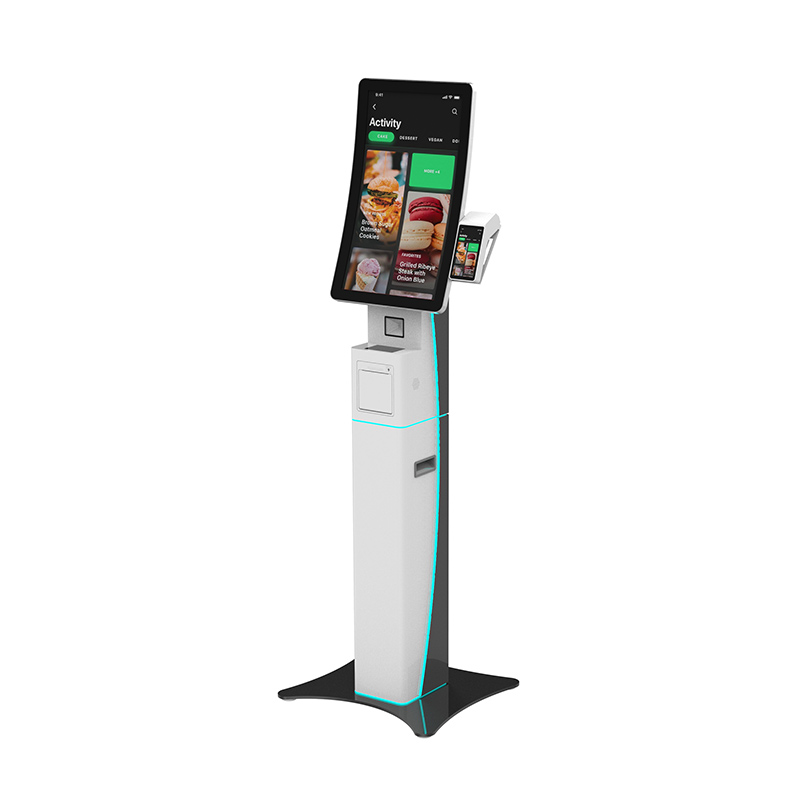
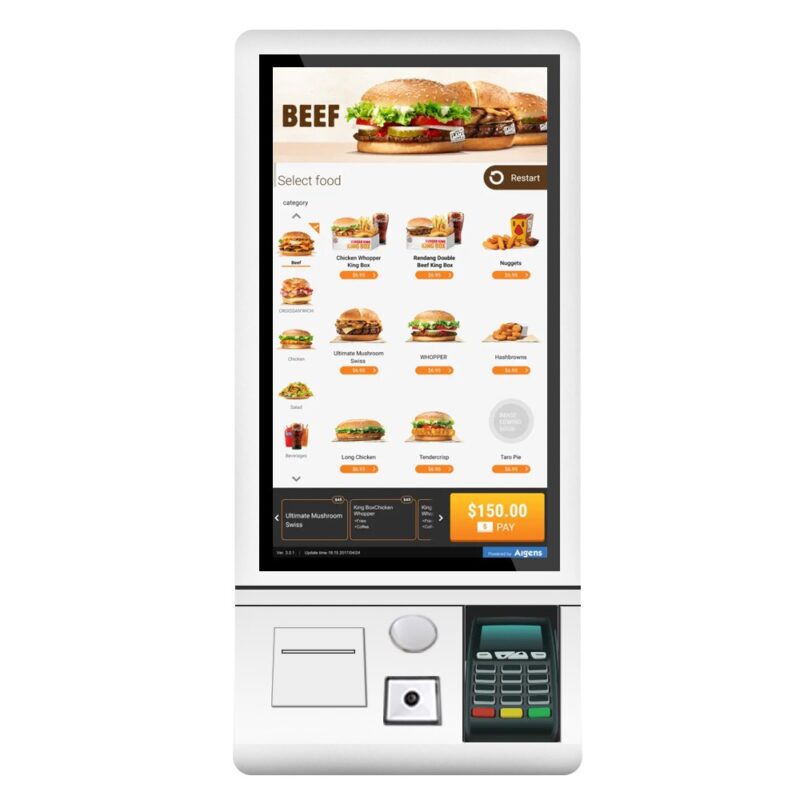
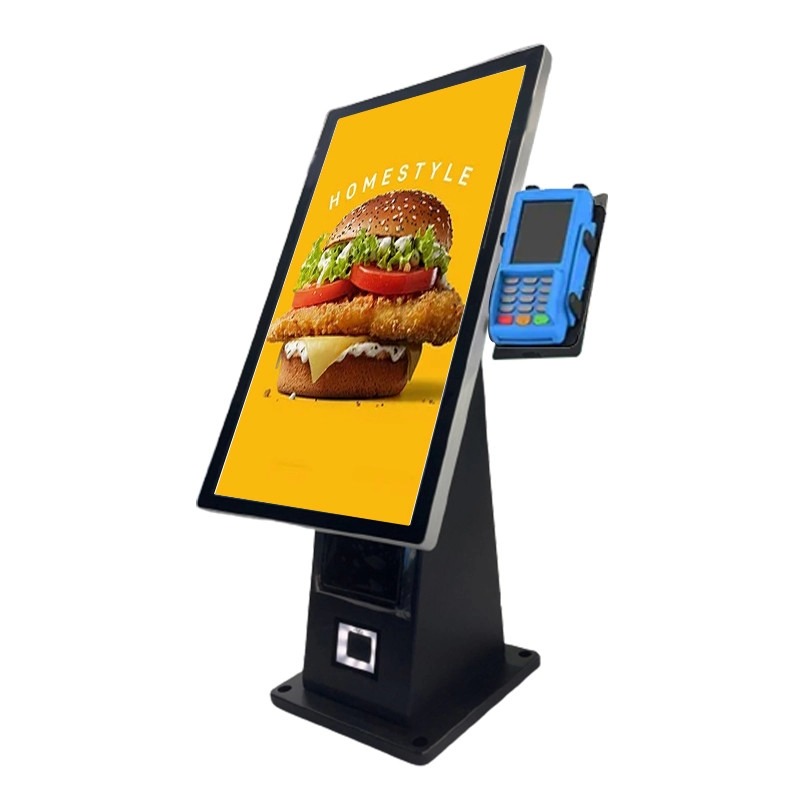
restaurant self order kiosk with printer

Customers expect fast service, accurate orders, and convenient payment options. 然而, many restaurants, 咖啡馆, and retail businesses still face long queues, labor shortages, and order-entry mistakes during peak hours. 一个 desktop ordering kiosk helps you address these challenges by allowing customers to place orders independently while reducing staff workload and improving service consistency.

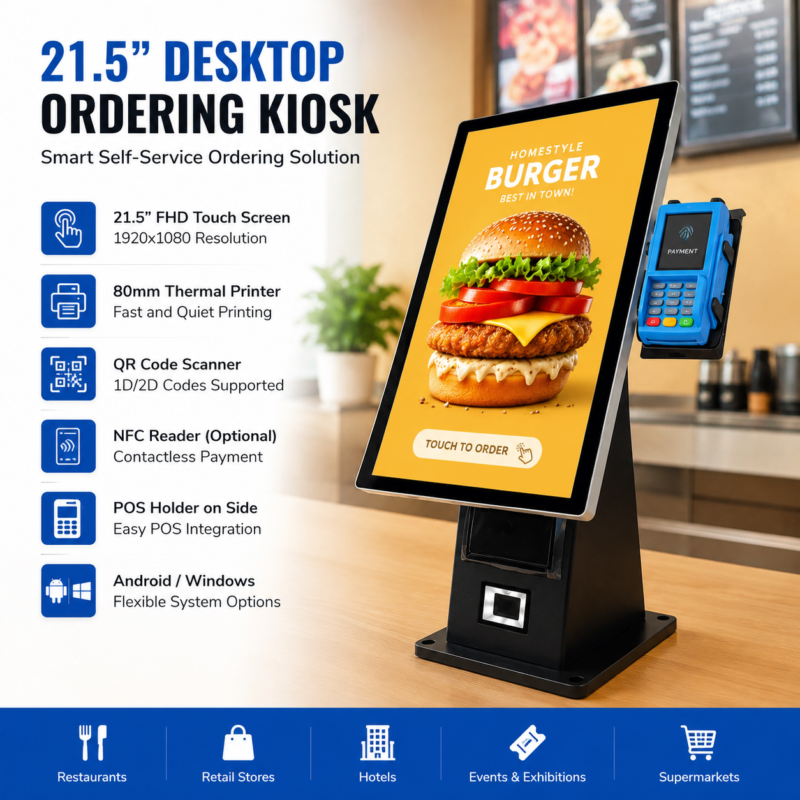
The 21.5-inch countertop self-service ordering kiosk from XTD combines a Full HD touchscreen, 二维码扫描仪, 热敏打印机, and optional NFC reader in a compact design. 因此, you can streamline ordering, 减少等待时间, and create a more efficient customer experience without sacrificing valuable counter space.

Why Businesses Are Investing in Desktop Ordering Kiosks

Customers increasingly prefer self-service options because they offer speed and convenience. 同时, businesses need practical solutions that improve efficiency without increasing labor costs.

Common operational challenges include:

  • Long customer wait times
  • Order inaccuracies during busy periods
  • Rising staffing expenses
  • Limited counter space
  • Growing demand for contactless interactions

Therefore, many businesses are implementing self-service technology to improve operational efficiency and customer satisfaction. 此外, self-ordering systems help standardize service quality across multiple locations.

Desktop Ordering Kiosk Specifications

XTD designed this kiosk for continuous commercial operation. 此外, its flexible hardware architecture allows deployment across different industries and software environments.

Feature 规格
显示尺寸 21.5-英寸 TFT-LCD
解决 1920 × 1080 全高清
触控技术 10-点电容式触摸
面板品牌 京东方 / LG / 三星A级
操作系统 安卓 7.1/9.0/11 或Windows 10 专业版
打印机 集成 80 毫米热敏打印机
扫描器 二维码 & 条码扫描仪
NFC读写器 选修的
处理器 英特尔i3 (Optional i5/i7)
记忆 4国标DDR3
贮存 128GB固态硬盘
材料 Metal Frame + 3mm Tempered Glass
Panel Lifetime ≥60,000 Hours

The system supports both Android and Windows platforms. 最后, you can integrate existing ordering software, 销售点系统, and payment applications more efficiently.

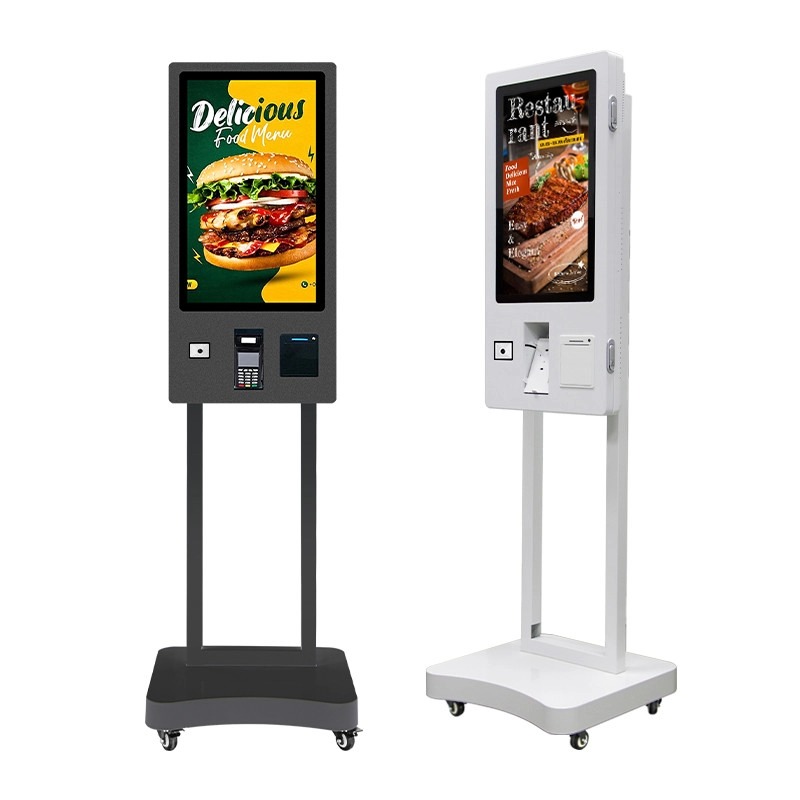
自助点餐系统

Desktop Ordering Kiosk vs Traditional Counter Ordering

Many businesses evaluate self-service solutions by comparing them with conventional ordering methods.

Comparison Factor Desktop Ordering Kiosk Traditional Counter Service
订单准确性 Customer enters orders directly Staff manually enters orders
Queue Length Reduced during peak periods Often increases significantly
Labor Dependency Lower Higher
Contactless Experience 支持 Limited
追加销售机会 Automated recommendations Depends on staff performance
Service Consistency Standardized Varies between employees

因此, businesses often achieve better workflow efficiency and more predictable customer experiences when they deploy self-ordering kiosks.

Key Features of This Desktop Ordering Kiosk

21.5-英寸全高清显示屏

The kiosk features a 1920 × 1080 Full HD display with a 16:9 纵横比. 此外, the 178° viewing angle ensures excellent visibility from different customer positions.

The screen uses BOE, LG, or Samsung A-level panels. Therefore, 菜单, promotional content, and product images remain clear and vibrant throughout daily operation.

Responsive 10-Point Touchscreen

Customers can navigate menus smoothly through capacitive multi-touch technology. 此外, the touchscreen responds in approximately 10 milliseconds, creating a more intuitive ordering experience.

Because users interact directly with the interface, businesses can reduce ordering errors and improve transaction speed.

Integrated QR Scanner and Thermal Printer

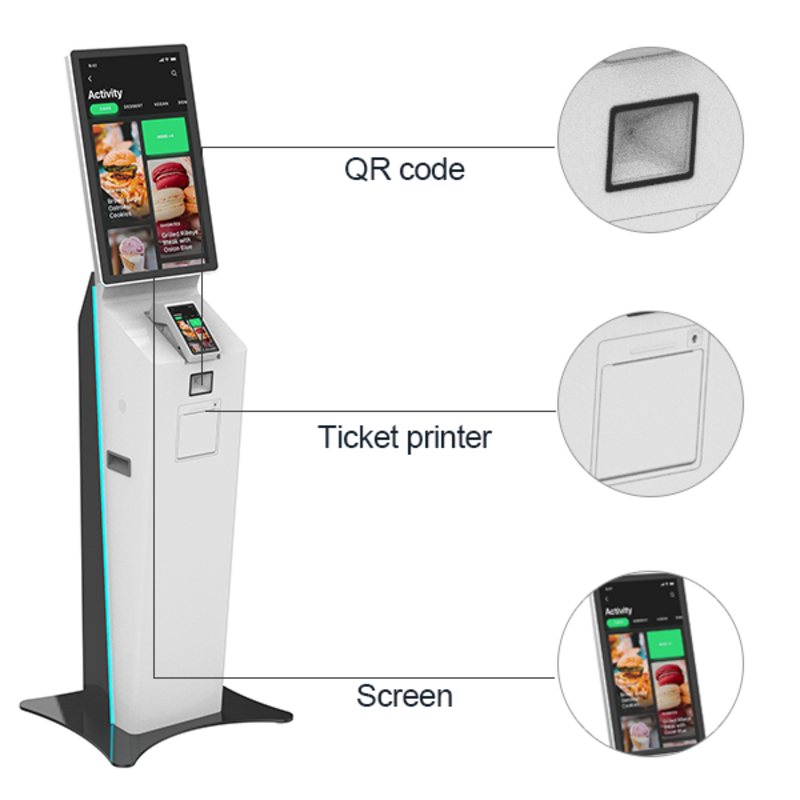
The built-in scanner reads both QR codes and barcodes from mobile devices and printed materials. 同时, the integrated 80mm thermal printer produces receipts quickly and supports convenient front-access paper replacement.

因此, customers can complete transactions faster while staff spend less time handling routine tasks.

Flexible Payment Integration

You can add an optional NFC reader to support contactless payment methods. 此外, the side-mounted POS holder allows businesses to integrate local payment terminals and third-party POS systems.

This flexibility makes the kiosk suitable for different regional payment requirements.

Commercial-Grade Construction

A durable metal enclosure and 3mm tempered glass panel protect the system in demanding commercial environments. 而且, the display supports a service life exceeding 60,000 小时.

最后, businesses can deploy the kiosk for long-term operation with minimal maintenance requirements.

How to Deploy a Desktop Ordering Kiosk

A structured deployment process helps maximize performance and customer adoption.

  1. Define your ordering workflow and payment requirements.
  2. Choose Android or Windows operating system compatibility.
  3. Integrate ordering software and POS systems.
  4. Configure QR scanning and payment options.
  5. Test menu navigation and transaction processing.
  6. Train employees to support first-time users.
  7. Monitor usage data and optimize menu layouts.

By following these steps, you can reduce implementation risks and improve operational efficiency from the beginning.

Real-World Application Example

A regional fast-food chain experienced significant congestion during lunch hours. Customers often waited in long lines, while staff struggled to process orders quickly enough.

The company installed several desktop ordering kiosks near the restaurant entrance. Customers could browse menus, customize meals, scan loyalty codes, and print receipts independently.

因此, staff focused more on food preparation and customer support rather than manual order entry. 此外, the business improved order-processing efficiency during peak periods and created a smoother customer journey.

Manufacturing Capability and Quality Assurance

Choosing the right supplier is just as important as selecting the hardware itself. Therefore, many buyers evaluate manufacturing capability, engineering resources, and quality-control processes before making a purchasing decision.

Shenzhen Xingtongda Information Technology specializes in OEM and ODM self-service terminal solutions. The company manufactures self-ordering kiosks, 支付终端, ticketing systems, inquiry kiosks, recharge terminals, and other intelligent self-service equipment.

Its production capabilities include:

  • Professional sheet metal manufacturing workshop
  • Swiss Bystronic 4000KW and 3000KW laser cutting equipment
  • 数控折弯机
  • Riveting and welding systems
  • Dedicated production lines
  • Product testing facilities
  • Aging test lines
  • Independent R&D department
  • Technical support team
  • Comprehensive after-sales service department

此外, dedicated production management helps maintain delivery schedules and product consistency. 因此, customers can deploy standardized self-service solutions across multiple locations with greater confidence.

FAQ

What industries can use a desktop ordering kiosk?

餐厅, 咖啡馆, 酒店, 零售店, 超市, 博物馆, exhibition centers, and ticketing venues commonly use desktop ordering kiosks. 此外, many businesses deploy them for customer registration and information services.

Does the kiosk support contactless payments?

Yes. You can add an optional NFC reader to support contactless payment methods and customer loyalty programs.

结论

一个 desktop ordering kiosk helps you reduce queues, improve order accuracy, and deliver a more efficient self-service experience. By combining a 21.5-inch Full HD touchscreen, 二维码扫描仪, 热敏打印机, optional NFC payment support, and flexible software compatibility, XTD provides a practical solution for restaurants, 零售店, 酒店, and other service-oriented businesses.

此外, XTD’s in-house manufacturing capabilities, engineering expertise, and OEM/ODM services support long-term deployment requirements. If you are planning a self-service ordering project, a professionally designed desktop ordering kiosk can provide the reliability, flexibility, and scalability your business needs.

相关帖子

发表回复

您的电子邮箱地址不会被公开。 必填项已用 * 标注