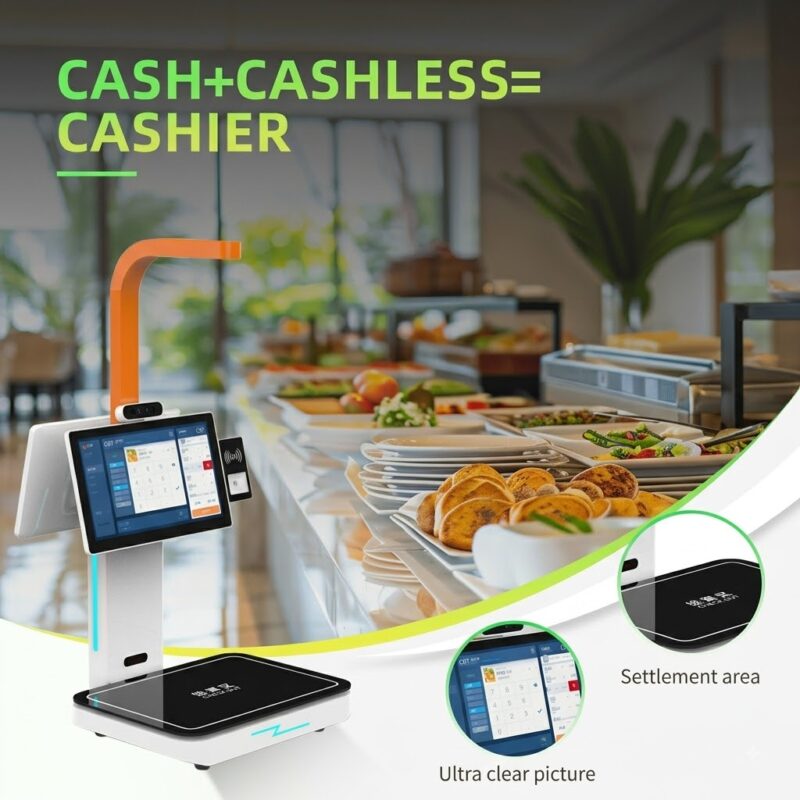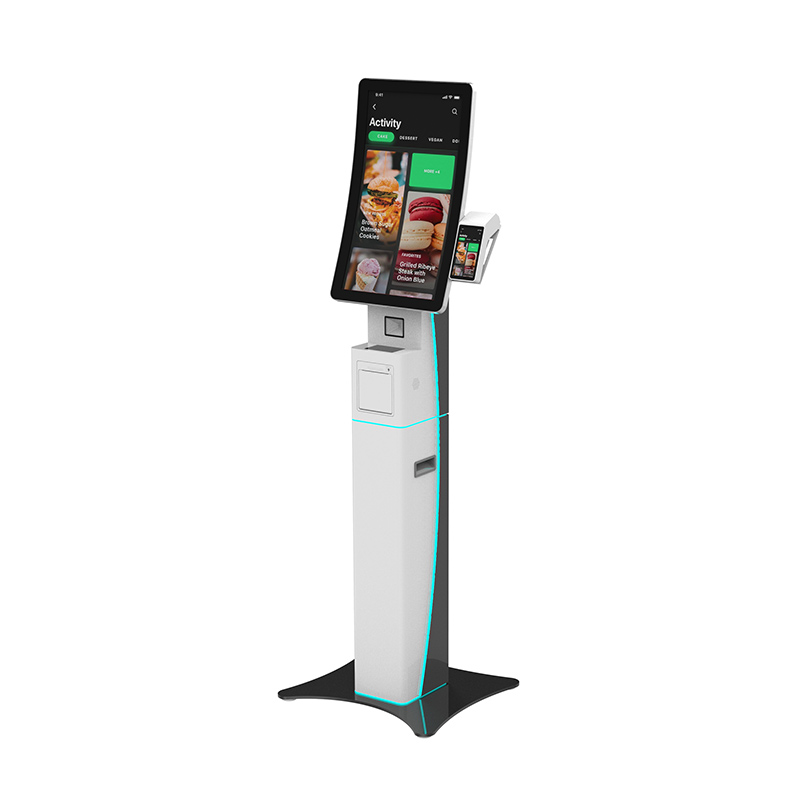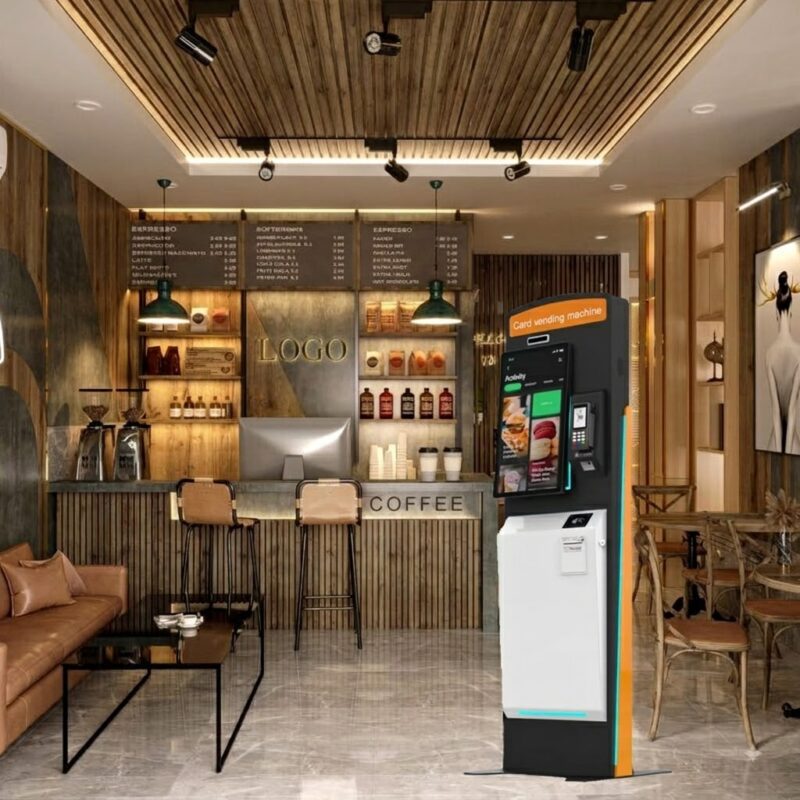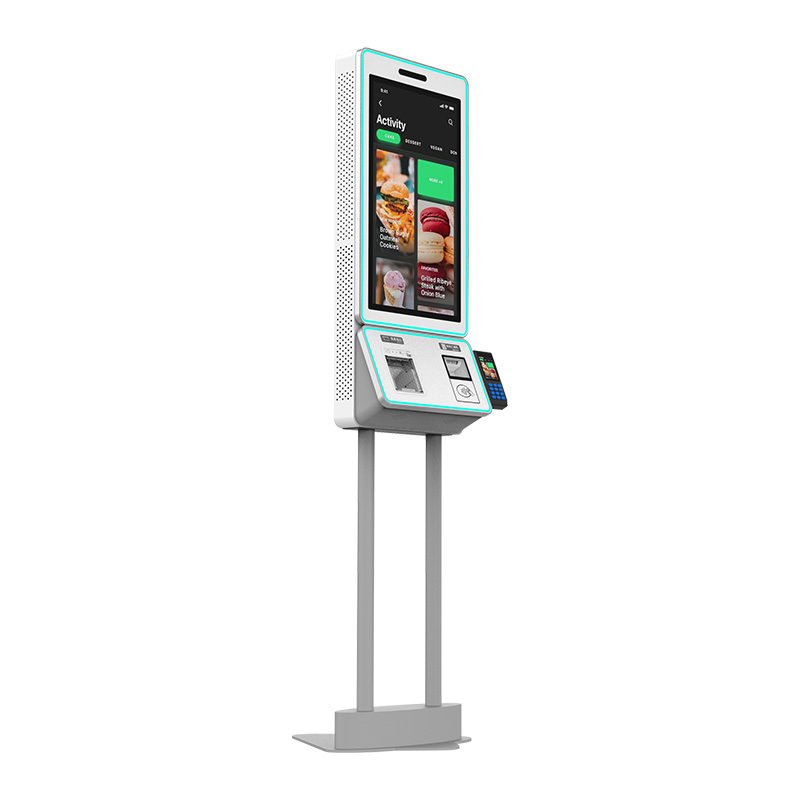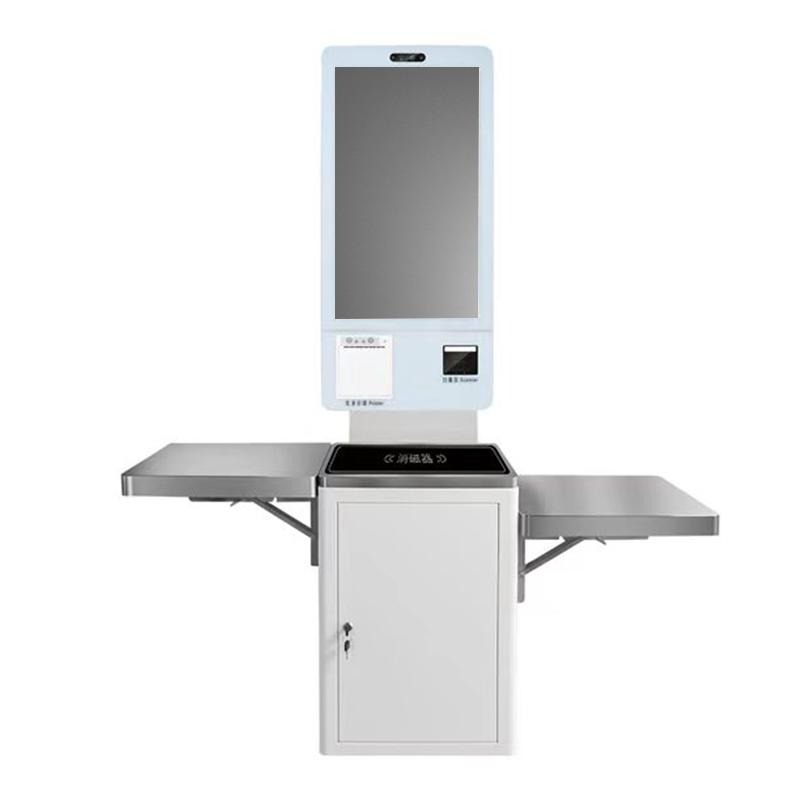
当顾客排队结账时, 您的员工必须花费更多时间处理日常付款而不是服务客户. 一个 self payment kiosk with receipt printer can move common payment and checkout tasks to a self-service terminal while giving customers a clear touchscreen interface and printed receipts. For retail stores, 便利店, 餐馆, 酒店, and public-service locations, you can combine payment, 二维码扫描, 收据打印, and POS integration in one compact unit. XTD provides this type of self-service terminal as an OEM/ODM manufacturer, allowing you to configure hardware and operating systems around your deployment requirements.
What Is a Self Payment Kiosk with Receipt Printer?
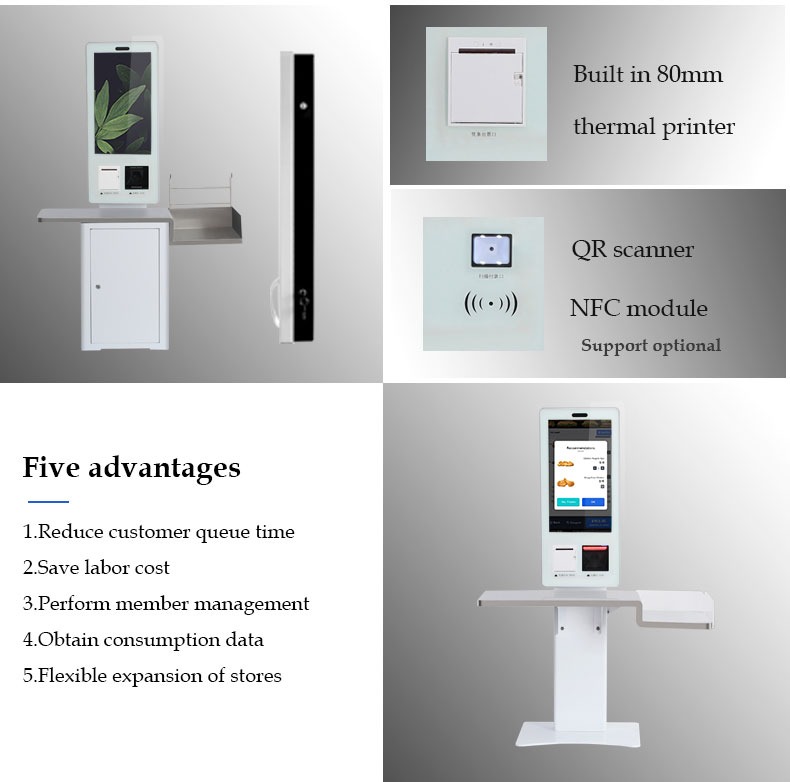
A self payment kiosk with receipt printer is a self-service terminal designed to let users complete payment or checkout operations without depending entirely on a cashier. The XTD model uses a 24-inch Full HD touchscreen, with a 32-inch option available, and supports a built-in 80mm thermal printer.
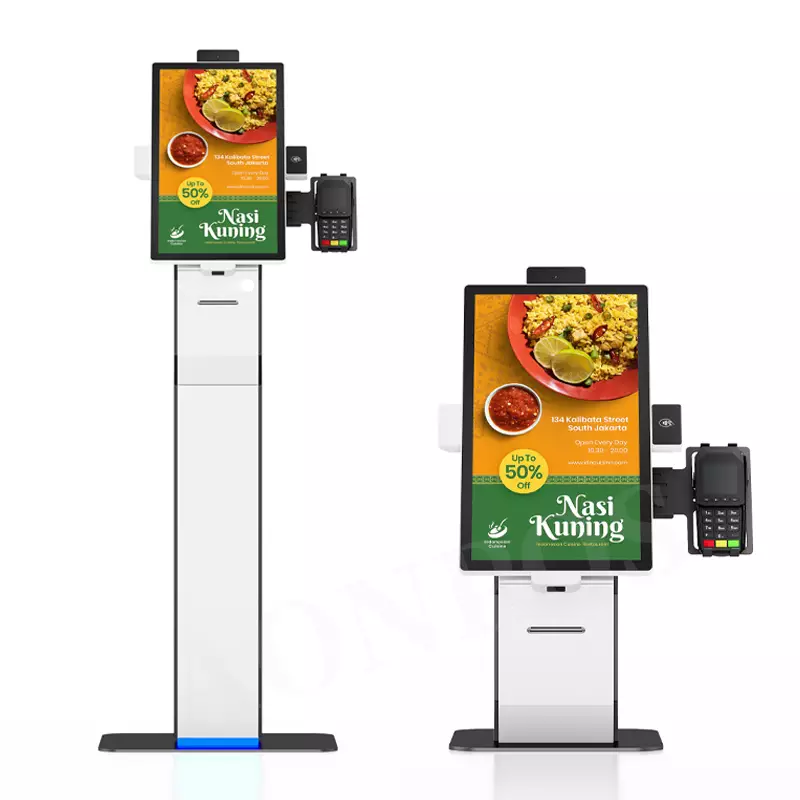
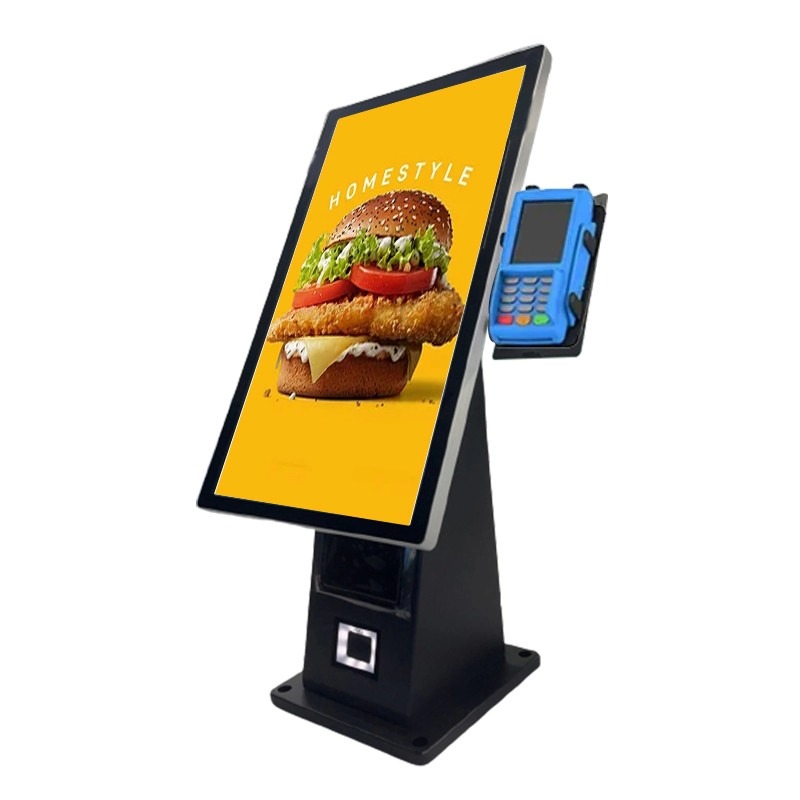
The integrated QR scanner can read payment or barcode information, while optional NFC and POS device mounting expand the payment configuration. 因此, you can adapt the terminal to different software and payment environments rather than relying on one fixed deployment model.
Key Hardware Configuration
For commercial projects, you can select configurations based on processing requirements and software compatibility:
- 24-inch or 32-inch FHD display
- 1920 × 1080 解决
- 10-点电容式触摸屏
- 内置80mm热敏打印机
- 集成二维码扫描仪
- Intel J1900 processor with i3/i5/i7 options
- Android or Windows operating system options
- 4GB RAM and 64GB SSD as a Windows configuration
- Gigabit Ethernet and Wi-Fi connectivity
- Optional NFC module and POS mounting
- Aluminum alloy and sheet metal housing
The terminal operates from 100–240V, 50/60赫兹, with a maximum power consumption of 60W. Its specified working temperature is 0°C to 50°C, making it suitable for typical indoor commercial environments.

Why Use a Self Payment Kiosk for Retail and Restaurants?
Your deployment goal determines how the kiosk should be configured. 所以, you should evaluate the complete workflow instead of choosing hardware based only on screen size.
| 应用 | How the kiosk supports the workflow | Useful configuration |
|---|---|---|
| 零售 & 便利店 | Self-service checkout and payment | 二维码扫描仪, 打印机, 销售点 |
| 快餐店 | Ordering and self-payment | 触摸屏, 打印机, 二维码支付 |
| 酒店 & 热情好客 | Guest self-service operations | 触摸屏, 打印机, 网络 |
| Exhibition & education | Registration and ticketing | 二维码扫描仪, 触摸屏, 打印机 |
For retail self service kiosk projects, the printer provides physical receipts when customers need them. In QSR environments, the touchscreen can support ordering and checkout software, while the QR scanner helps process codes during the payment workflow.
For larger deployments, you can also integrate a POS device, 托盘, or checkout counter according to your project design. This flexibility is particularly useful when you need a customized self payment kiosk with POS instead of an off-the-shelf terminal.
How to Choose a Self Payment Kiosk with Receipt Printer
下订单前, follow these steps to reduce integration problems:
- Define the payment workflow. Determine whether your system uses QR codes, 牌, 近场通信, POS终端, 或组合.
- Select the display size. Choose 24 inches for a standard deployment or consider 32 inches when your interface requires more screen space.
- Confirm the operating system. Select Windows or Android according to your existing payment and kiosk software.
- Check peripheral requirements. Confirm the thermal printer, 二维码扫描仪, NFC模块, POS mounting, and available interfaces.
- Review deployment conditions. Check power supply, operating temperature, network access, and physical installation space.
- 讨论 OEM/ODM 要求. Ask the manufacturer about housing, 硬件配置, 软件兼容性, and production requirements before mass production.
This process helps you match the self payment kiosk with QR scanner to your actual application rather than selecting hardware only from a product photograph.
Why Choose XTD for Self-Service Payment Terminals?
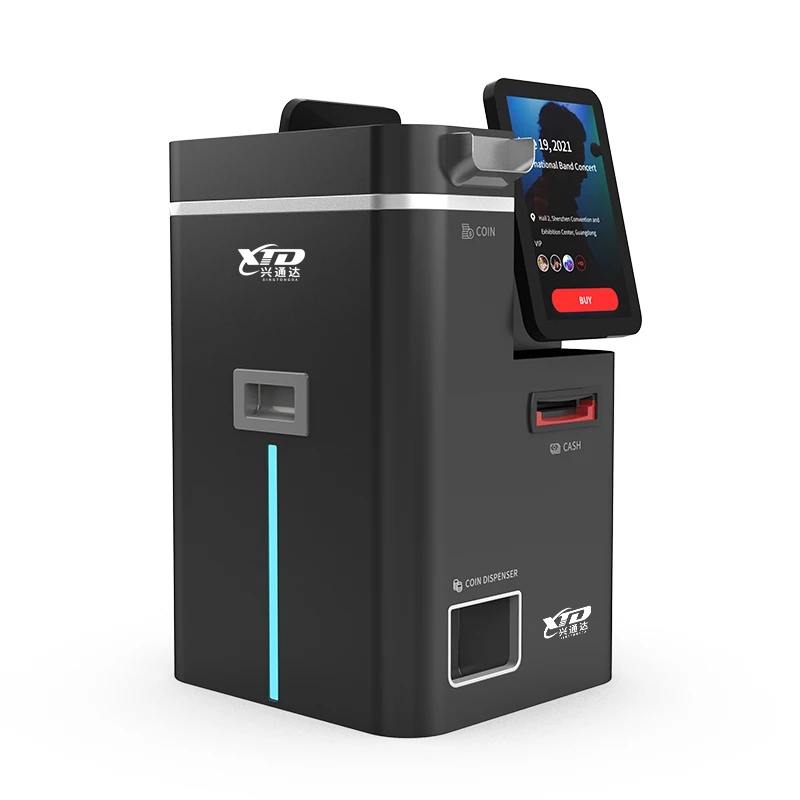
深圳市兴通达信息技术有限公司, 有限公司. specializes in self-service terminals and intelligent equipment solutions, including self-ordering machines, 自助收银机, 支付终端, 售票终端, 发卡终端, and report-printing terminals.
XTD states that it provides OEM/ODM services and has dedicated management, 右&D, 生产, 销售量, 技术的, 和售后团队. Its production workshop includes sheet-metal fabrication and equipment such as Bystronic 4000KW and 3000KW laser cutting equipment, 数控折弯机, 铆接机, 焊接设备, 生产线, 测试线, 和老化线.
The company also presents product and company certificates on its official website. When you evaluate a project, you can request the specific certificate documents applicable to your target market, product configuration, and regulatory requirements rather than relying on general certification claims.
常问问题
1. 自助终端是否包含收据打印机?
是的. This model integrates an 80mm thermal printer, allowing the terminal to print receipts as part of the self-service workflow.
2. Can I use Windows or Android?
是的. XTD offers both Windows and Android configurations. The Windows version can use an Intel J1900 processor with optional i3/i5/i7 processors, while the Android configuration uses an RK3288 quad-core platform.
3. Can XTD customize the self payment kiosk?
是的. XTD provides OEM/ODM services and supports hardware configuration options such as screen size, 处理器, 内存, 贮存, POS mounting, 近场通信, and other peripheral requirements. You should confirm your software, payment interface, and physical installation requirements with XTD before production.
结论
如果您需要一个 self payment kiosk with receipt printer, focus on the complete customer workflow, not just the display or processor. The XTD 24-inch self-service payment kiosk combines a Full HD touchscreen, 80毫米热敏打印机, 二维码扫描仪, Windows or Android options, 网络连接, and expandable POS integration for retail, 快速反应, 热情好客, 和其他自助服务应用程序. By defining your payment method, software environment, 外围设备, and deployment conditions in advance, you can select a configuration that fits your actual project requirements.
计算机辅助技术协会
Contact Shenzhen Xingtongda Information Technology to discuss your kiosk project, including screen size, 操作系统, QR/payment integration, thermal printer requirements, POS mounting, OEM/ODM定制, and target-market certification needs. Request a detailed hardware configuration and quotation before placing your order.